
In this article, we’ll show you how to use Lesson Sets to set up a Course with one Lesson that learners are required to complete annually.
This setup simplifies repeat training, giving administrators flexible control over refresh cycles and helping keep users safe, compliant, and up to date with minimal effort.
We'll cover:
- What are Lesson sets?
- How do Lesson sets work?
- Step-by-step guide to set up a Course with one Lesson to be repeated every year
What are Lesson sets?
Lesson sets simplify the process of configuring repeat learning. When Lesson sets are available for a Course, assigned Lessons can be organised into sets, each with its own rules that define the order and frequency in which lessons must be completed.
This enables LMS administrators to create simple refresher cycles, such as requiring a single Lesson to be repeated every year, right through to more complex cycles, including multiple Lesson sets, each with its own rules for availability and repeat, and choice of Lessons to complete the set.
How do Lesson sets work?
When Lesson sets are available for a Course, all assigned Lessons will be organised into a single Lesson set, with the option to add rules about when and how frequently the Lesson set must be completed.
Up to 5 Lesson sets can be added to a Course - each with an unlimited number of Lessons and its own rules for availability and completion.
A few things to know about Lesson sets:
Lesson sets are available for new Courses only
A Lesson cannot appear in multiple Lesson sets
At the end of a sequence of Lesson sets, a learner can be directed to repeat all Lesson sets
- Lessons already linked to an Accreditation cannot be added to a Lesson Set.
Step-by-step guide to set up a Course with one Lesson to be repeated every year
Browse to the Course area of Learn admin:

Select New Course
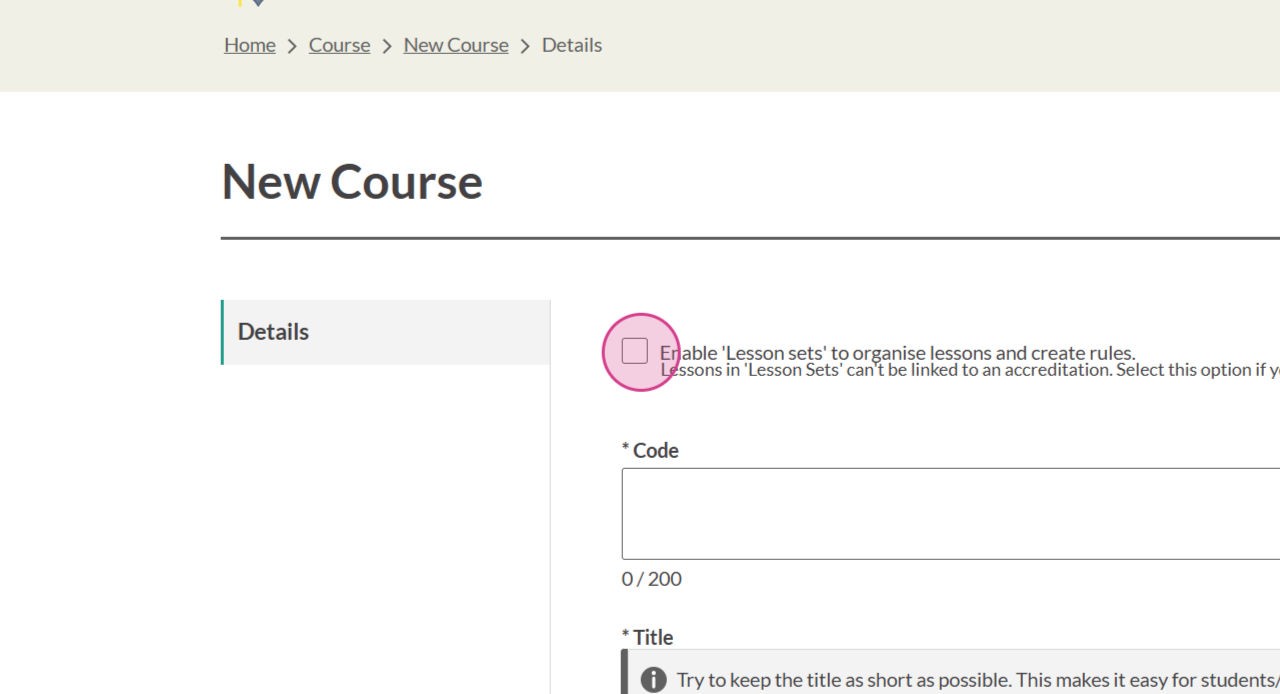
Select 'Enable Lesson sets to organise lessons and create rules'. Note that this option is available for new Courses only:
Populate the remaining fields to create the Course. See Create a Course for a step-by-step guide
Select Lesson from the Course Administration menu:

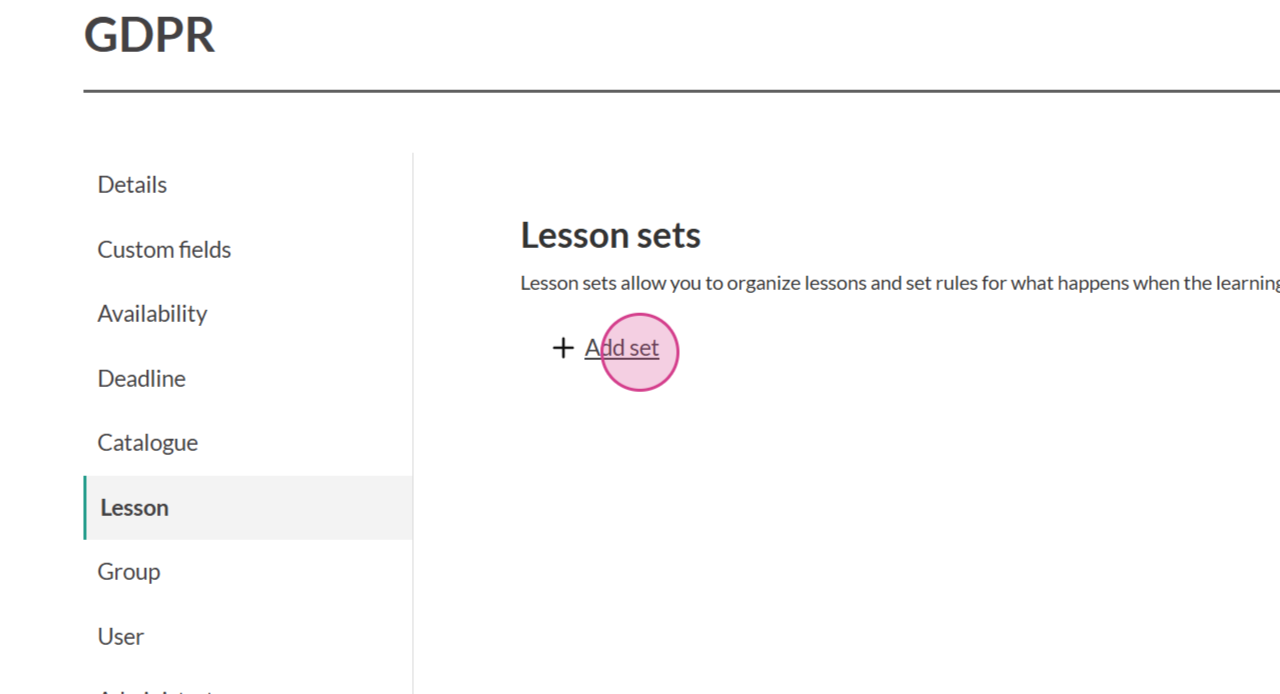
Select Add set:
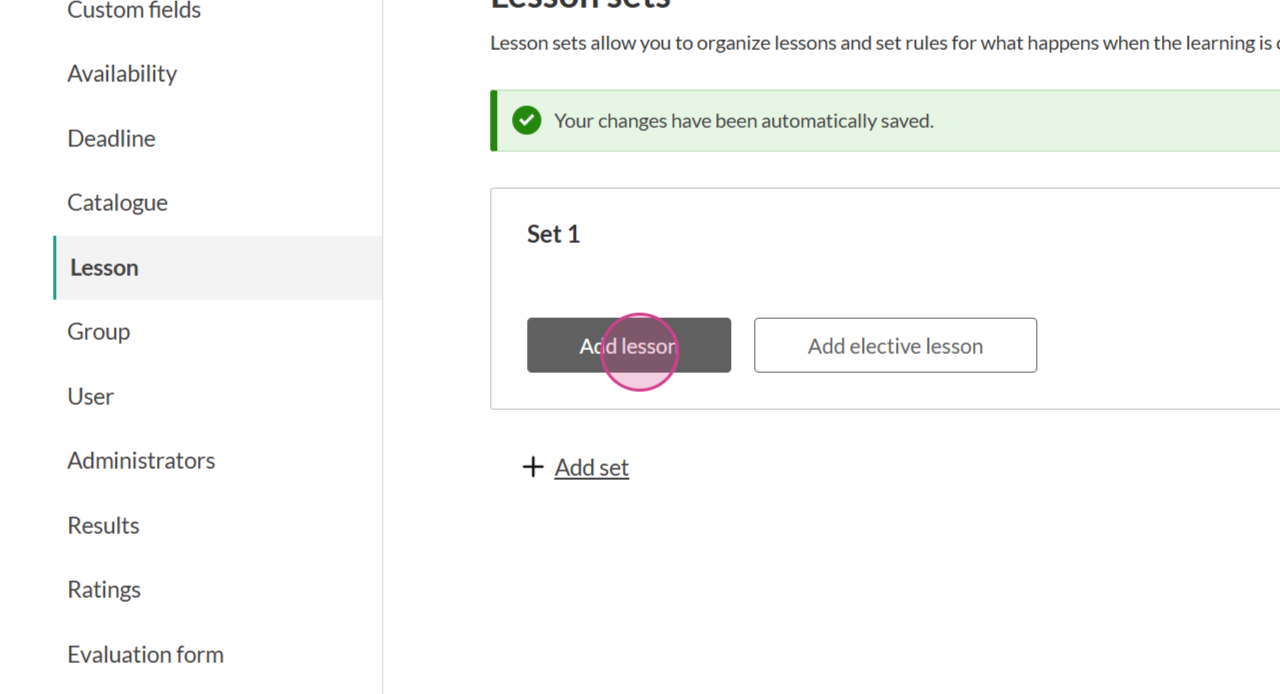
Select Add lesson:
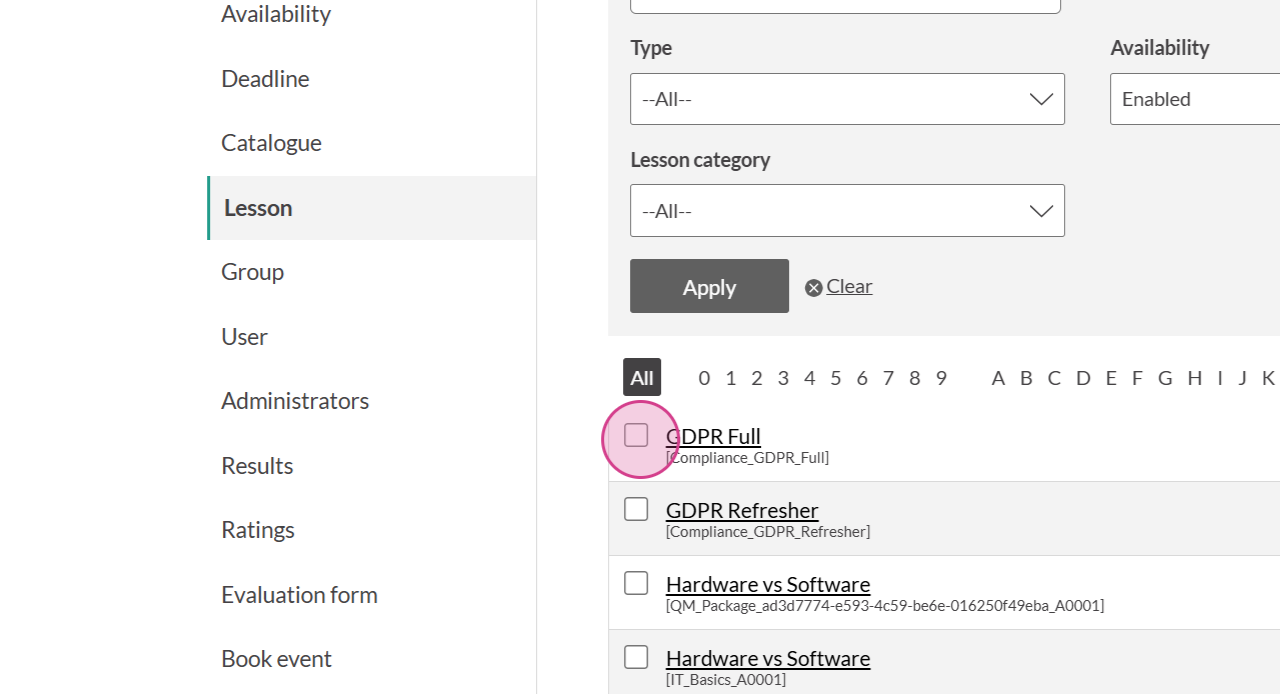
Browse to select one or more Lessons to add to the Set (and therefore assign to the Course). For this example, one Lesson will be selected:
Choose the Rules for the set. Select 'No further action' if the Lesson set (and therefore the Lessons contained within in it) must be completed only once. For this example, we'll select 'Repeat this set':
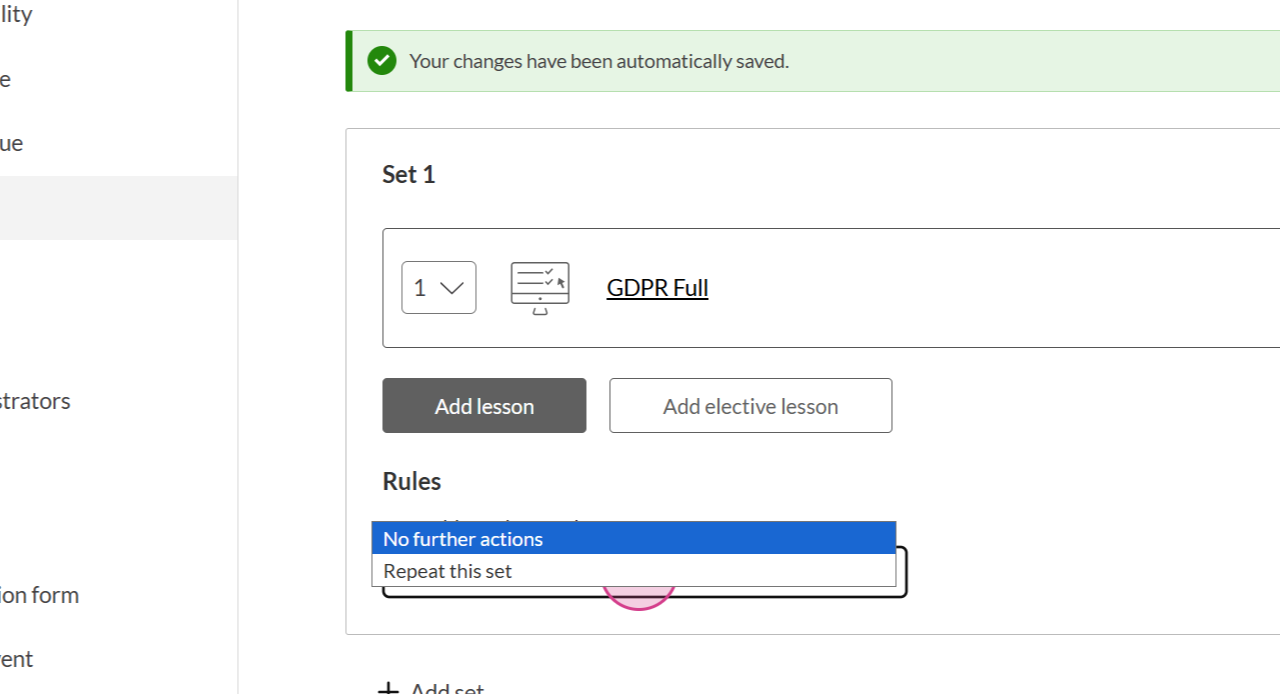
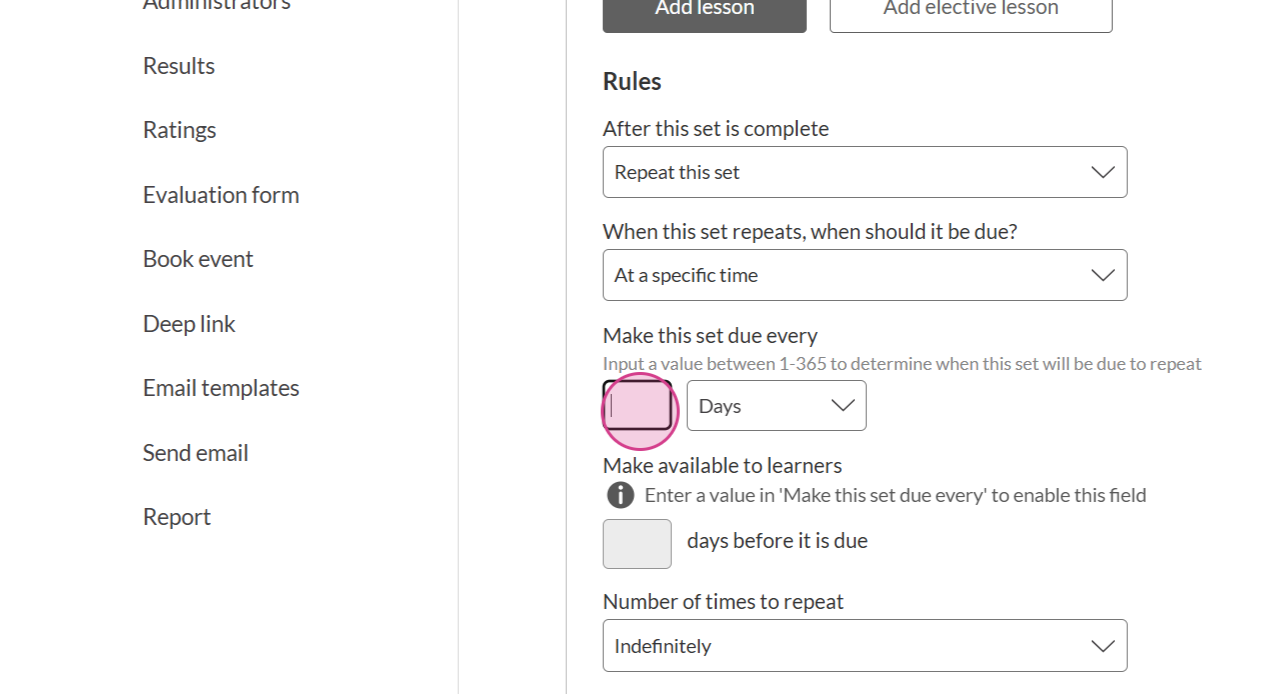
Specify when the Lesson set should repeat. For this example, we'll select 'At a specific time'
Select into the 'Make this set due every' field, and specify the time period for the repeat. For this example, we'll select 1 year:
This is a BETA feature - please share your feedback!
Your insights are essential for us to improve the feature discussed in this article. Visit Airfocus to view the roadmap and share feedback. Thank you!