Kallidus Tip: Easily Control the Order of Course Card Images in Learn

Hello customer Community! 👋
To help organise your course card images in Learn you can order these by number. Here’s how 👇
- Source the images you wish to upload. Rename these to include numbers within the file names. For example, 1.training.png
- Upload the images into the image library. Go to Settings > My Images > Choose images.
-
The images will then show in number order.
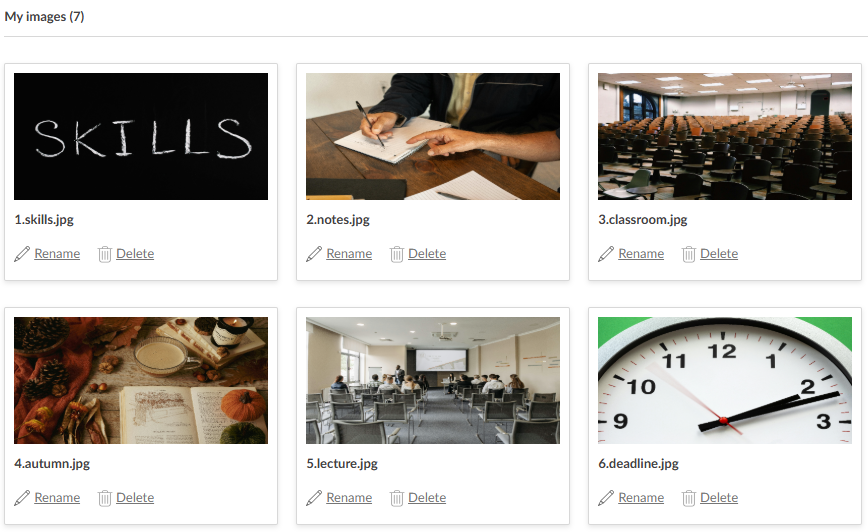
🌟You may also wish to search for a particular image. You can do this by using CTRL & F on your keyboard and searching for characters within the filename.
1
-

Great tip Tom! We use this in the Academy and it definitely saves me time
0
Please sign in to leave a comment.
Comments
1 comment